
How to Use the Packager
Get dust from your hand tool to a station without carrying every load back. Build a short Packager route, test the first delivery and follow the checks for capsules that stop moving or never reach the intake.
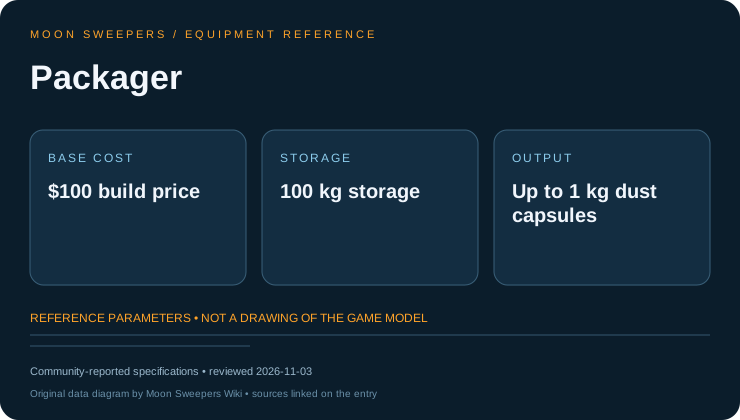
Operating parameters
| Parameter | Value |
|---|---|
| Footprint | 2.8 × 3 m |
| Height | 2.4 m |
| Hopper | 100 kg |
| Capsule payload | 1 kg |
| Output emission interval | 0.35 seconds |
What the Packager does
The Packager takes dust unloaded from your held cleaning tool and sends it out as capsules. It does not clean nearby ground, turn dust into sand or pay you for loading it. Its output needs somewhere to go: a station intake for a raw-dust sale, or a machine that accepts the material.
For a first setup, use a short route to a station. Seeing a capsule reach the intake and receive payment is easier to check than diagnosing a new processor at the same time.
Budget a short delivery route
At base prices, a Building Tool costs $50 and a Packager costs $100. Conveyor costs $0.50 per metre, so a 10 m connection adds $5: $155 in total if you own none of the equipment. A 30 m route brings that total to $165.
Count the length you actually need. Foundations, processors and solar generation are separate purchases; do not include them in a simple raw-dust route unless your layout needs them. Leave walking access beside the unloading point so a shorter belt does not create a longer trip on foot.
Connect and load the Packager
Place the Packager near the patch you plan to clean. Build the output connection toward the receiving intake, following the belt direction. A belt ending beside a station is not the same as one attached to its deposit intake.
- Choose the receiving intake and keep access to it clear.
- Place the Packager where you can reach its unloading point.
- Connect a short outgoing conveyor to the intake.
- Unload a small amount from the held cleaning tool using the interaction prompt.
- Follow the first capsule to its destination and check payment before extending the route.
Why is my Packager not working?
Start at the first place where material stops. If no capsule leaves the Packager, check that it received dust and that its outgoing connection is complete. An empty hopper and a blocked outlet need different fixes.
If capsules leave and queue farther down the belt, inspect the next connection. A full receiver or blocked processor can back material up all the way to the Packager. Buying another Packager will not make that receiver empty.
If material reaches the station but you see no sale, check that the belt is attached to the deposit intake. A carried capsule placed on a short test belt can help separate an intake problem from a loading problem.
If a large setup began failing after an update, compare your installed version with the patch notes before rebuilding the whole route. Patch 1.0.5 includes fixes for large-base packing failures; that does not mean every stalled capsule is a version bug.
Extend the belt without hiding a bottleneck
Conveyor speed is 1.1 m/s with 0.75 m capsule spacing. That gives an ideal ceiling of 88 capsules per minute. With 1 kg capsules it is 88 kg/min, but payload matters: capsule count and material mass are different measures.
A Merger combines streams into one outgoing belt. It does not add the capacities of both incoming lines to that shared exit. A Splitter divides the incoming stream rather than duplicating dust. Test each branch on its own before relying on a busy junction.
Extend one connection at a time. When you add processing, keep an unprocessed dust branch for the Stone Press instead of sending every capsule through a Pressure Chamber.
Packager versus Auto-Packer
The $100 Packager is a build-menu machine with an outgoing belt connection. The $2,000 Auto-Packer is a crew upgrade that drops a capsule at your feet when a held tool's container fills. Buying Auto-Packer does not place a physical Packager or connect a conveyor.
Choose between them by the interruption you want to remove. A nearby Packager can shorten manual delivery; Auto-Packer reduces the need to unload a full hand tool. Neither changes the base sale value of the dust.
Frequently asked questions
Does the Packager sell dust by itself?
No. Connect its output to a station intake to sell the dust, or send it into suitable processing equipment.
Will a second Packager fix a backed-up belt?
Only if source handling is the actual limit. A full receiver, disconnected intake or shared Merger exit must be fixed downstream first.